123 Flash Chat Server Software
Home
User Manual
Home
  • Introduction
  • Installation and Upgrade
  • Admin Panel
  • Website Integration
  • DIY Skins and Smiley
  • For Developers

Home HomePre page Registration Settings | About Add Button Next page

123 Flash Chat User Manual


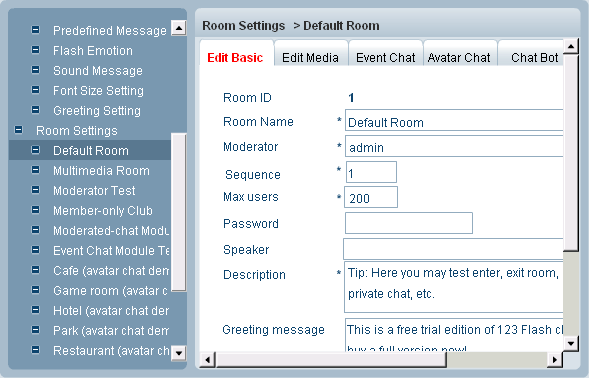
Modify button can make you modify the configuration of any room you want.

You can do as follows:

First, click the room you want to modify and then click Modify button, the following window would open :

Now, you can make changes to the room in the tab of Edit Basic, Edit Media, Event Chat, Avatar Chat, Chat Bot, Audio/Video and Whiteboard. You can do this referring to the operation of "Add".


Related links:

Skin Setting

System Settings

User Management

Module Settings

System Management


Home HomePre page Registration Settings | About Add Button Next page

Home | About | Demo | Features | Download | Order | FAQ | Support | Reviews | Affiliate | Links | Sitemap | Community | Blog
 
Chat Server Software| Flash Video Chat| Online Webcam Chat| Webcam Chat Room Software| Customizable Chat Program | Instant Messaging Chat Server
Flash Chat in China | Chat Plugin| Free Chat Host| Free Chat Server Download| Live Support Software | Add Chat Room to Website
Legal Disclaimer| Privacy Statement | Terms of Use Copyright © 2001-2009 TopCMM Software Corp. All Rights Reserved.