


123 Flash Chat Server Software
Home > Admin Panel > System Settings
User Manual
Home > Admin Panel
  • Introduction
  • Installation and Upgrade
  • Admin Panel
  • License Info
  • Code Generator
  • Code Generation
  • Basic Settings
  • View Settings
  • Skin Setting
  • Message Settings
  • Sound Settings
  • Cache Settings
  • Custom Menu Items
  • Advertising Settings
  • Predefined Message
  • Flash Emotion
  • Sound Message
  • Font Size Settings
  • Greeting Settings
  • Registration Settings
  • Room Settings
  • About Add Button
  • About Delete Button
  • About Modify Rooms
  • System Settings
  • Basic System Settings
  • Language settings
  • Filter Words
  • Integration Panel
  • User Management
  • Add User
  • Edit User
  • Admin Account
  • Ban Settings
  • Module Settings
  • Friendlist Module
  • Encrypt-Message Module
  • Event-Chat Module
  • Invisible-Admin Module
  • Moderated-Chat Module
  • Change-Nickname Module
  • Avatar-Chat Module
  • Audio/Video Module
  • White-Board Module
  • File Transfer
  • Image-Transfer Module
  • FMS-Server-URL
  • Handwriting
  • Invitation Bot
  • System Management
  • Monitor Panel
  • Announcement Panel
  • Restart
  • Import Data
  • Affiliate
  • Submit Ticket
  • Website Integration
  • DIY Skins and Smiley
  • For Developers

Home HomePre page About Modify Rooms | Basic System Settings Next page

System Settings


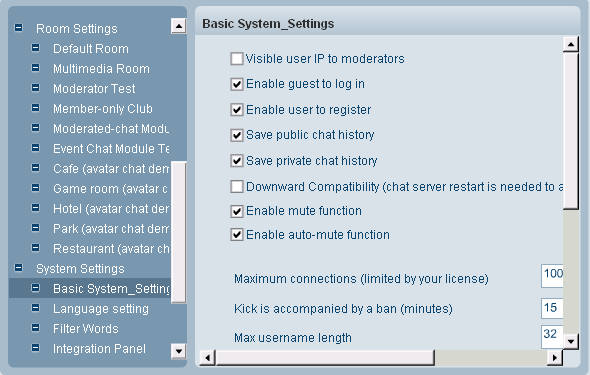
Here, you can do configurations to the sytem-level parameters.

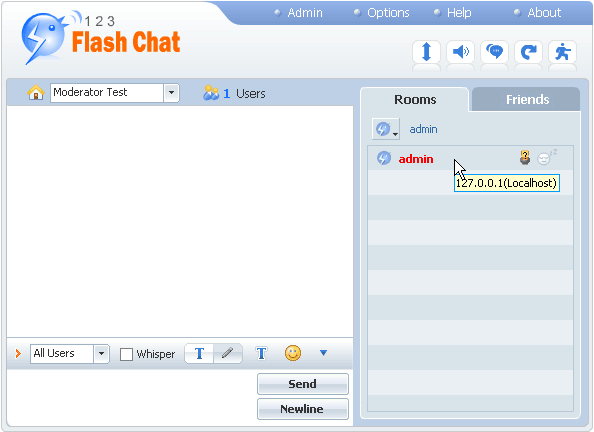
Visible user IP to moderators
With this feature enabled, moderators can view users' IP.

Enable guest to log in
With this feature enabled, guest users can login without registration.

Enable user to register
With this feature enabled, registration is open for all users. With it disabled, registration feature would be closed.

Save public chat history
With this feature enabled, public chat history is saved for later review.

Save private history
With this feature enabled, private history is saved for later review.

Downward compatibility (restart is needed to apply the change)
With this feature enabled, the downward compatibility would be implemented, that means a high-version chat server could work with a low-version Client in harmony; with it disabled, it can reduce the risk of being attacked by a hacker who may hack in your chat server via low-version Client.


Related links:

Skin Setting

Room Settings

User Management

Module Settings

System Management


Home HomePre page About Modify Rooms | Basic System Settings Next page

Home | About | Demo | Features | Download | Order | FAQ | Support | Reviews | Affiliate | Links | Sitemap | Community | Blog
 
Chat Server Software| Flash Video Chat| Online Webcam Chat| Webcam Chat Room Software| Customizable Chat Program | Instant Messaging Chat Server
Flash Chat in China | Chat Plugin| Free Chat Host| Free Chat Server Download| Live Support Software | Add Chat Room to Website
Legal Disclaimer| Privacy Statement | Terms of Use Copyright © 2001-2009 TopCMM Software Corp. All Rights Reserved.