|
User Manual
|
||||||
|
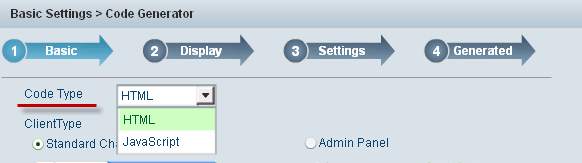
Code GenerationTo generate code for your chat: 1.Select the code type you need to generate in Code Type drop-down list, considering its better compatibility performance, we recommend JavaScript.
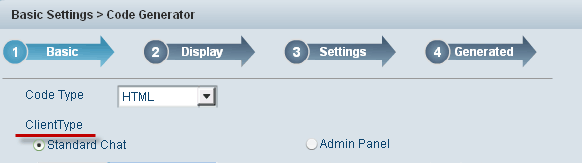
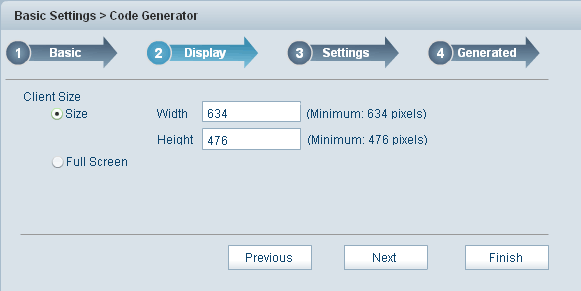
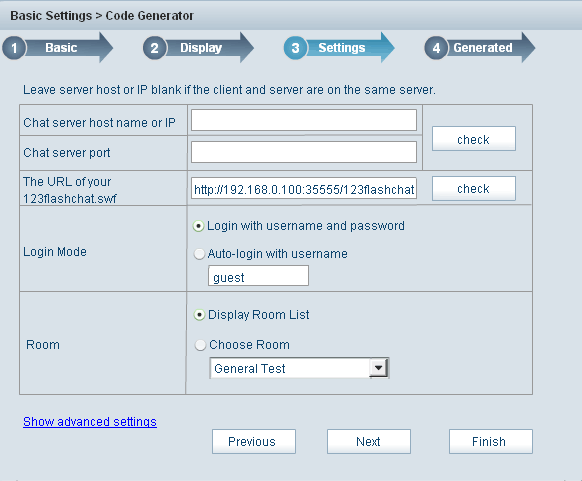
2.You can choose the client type that you want to generate code here, they are may be Standard chat, Admin panel, Lite chat, Avatar chat, Html chat,Pocket PC chat or Banner chat. 3.Enter the size of client end, you can set it to specific size or full screen. 4.Enter Chat server host name or IP. You can enter your chat server's host name or IP at here, due to the limited usable resource of VDS/VPS, we recommend our client to use a dedicated server to host 123flashchat, and we also provide hosting service features with reasonable price and authoritative technical support, click here for more detailed information. 5.Enter chat port. 6.Enter the URL of your 123flashchat.swf. 7.Select login mode.
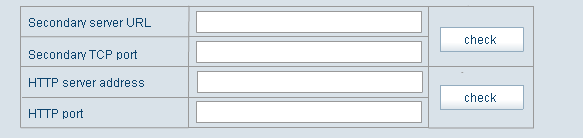
Select room that will show when loading. 9.If you need to set Secondary server URL,Secondary TCP port,HTTP server address and HTTP port, pleae click Show advanced settings:
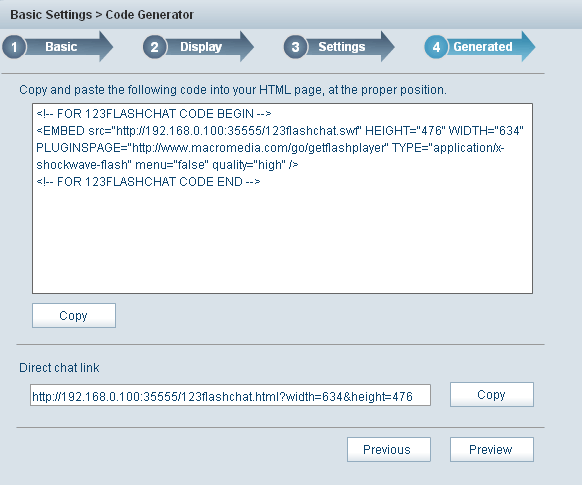
10.Click Finished to generate your code 11.Click Copy to copy the code you need to embed in your webpage.
12.Insert the code into the proper position of your webpage. Note: The absolute URL is required like this: <script language="javascript" src="http://www.youdomain.com/chat/123flashchat.js"> Related links:
|
|||||
 |
 |


Home | About | Demo | Features | Download | Order | FAQ | Support | Reviews | Affiliate | Links | Sitemap | Community | Blog