123 Flash Chat Server Software
Home > Admin Panel > Module Settings > IM Friends Invitation
User Manual
Home > Admin Panel > Module Settings
  • Introduction
  • Installation and Upgrade
  • Admin Panel
  • License Info
  • Code Generator
  • Code Generation
  • Basic Settings
  • View Settings
  • Skin Setting
  • Message Settings
  • Sound Settings
  • Cache Settings
  • Custom Menu Items
  • Advertising Settings
  • Predefined Message
  • Flash Emotion
  • Sound Message
  • Font Size Settings
  • Greeting Settings
  • Registration Settings
  • Room Settings
  • About Add Button
  • About Delete Button
  • About Modify Rooms
  • System Settings
  • Basic System Settings
  • Language settings
  • Filter Words
  • Integration Panel
  • User Management
  • Add User
  • Edit User
  • Admin Account
  • Ban Settings
  • Module Settings
  • Friendlist Module
  • Encrypt-Message Module
  • Event-Chat Module
  • Invisible-Admin Module
  • Moderated-Chat Module
  • Change-Nickname Module
  • Avatar-Chat Module
  • Audio/Video Module
  • White-Board Module
  • File Transfer
  • Image-Transfer Module
  • FMS-Server-URL
  • Handwriting
  • Invitation Bot
  • System Management
  • Monitor Panel
  • Announcement Panel
  • Restart
  • Import Data
  • Affiliate
  • Submit Ticket
  • Website Integration
  • DIY Skins and Smiley
  • For Developers

Home HomePre page Handwriting | System Management Next page

Invitation Bot


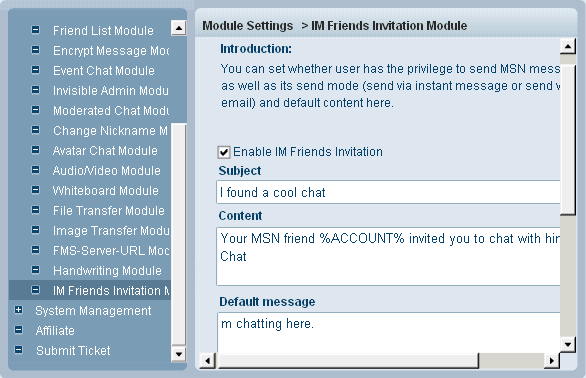
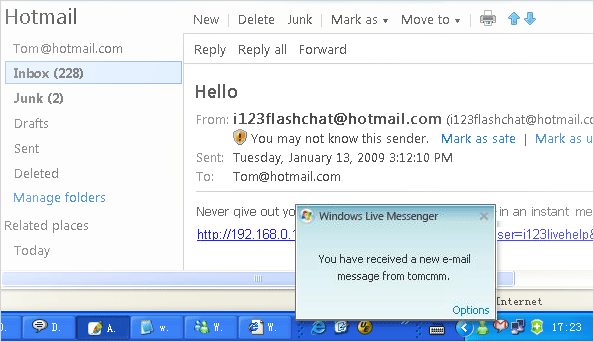
Wanna attract more users for your chat room?Try IM Friends Invitation Module. After activating the module, your user then could invited his MSN friends to join your chat, but before this actually happens, please fill in your advertising claim in Default Message and select its send mode: Immediately will send your default massage via instant message, Email will send it via an email.

Sending email may need the support of SMTP server, in default mode, we use the embedding SMTP server. But if you need to use outside SMTP server, you may configure this node: <mail-smtp-server ...> in this file : <123flashchat install directory>/server/etc/fcserver.xml .

  <mail-smtp-server enable="Off">
    <host>localhost</host>
    <port>25</port>
    <auth-user></auth-user>
    <auth-password></auth-password>
    <ssl>Off</ssl>
  </mail-smtp-server>
  mail-smtp-server->enable : this node decides whether you use outside SMTP server, On indicates Yes, off No.
  host: mail smtp server address
  port: mail smtp server port
  auth-user: mail smtp server user name, (Optional)
  auth-password: smtp server, (Optional)
  ssl: On/Off: this node decides whether encrypt via SSL algorithm,

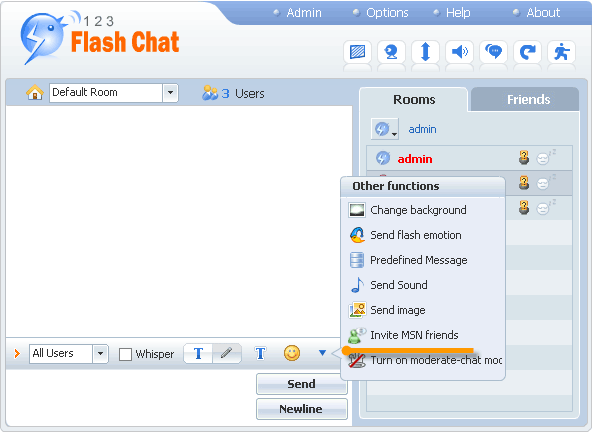
After activating the module, a Invite MSN Friends entry will appear in the tool bar:


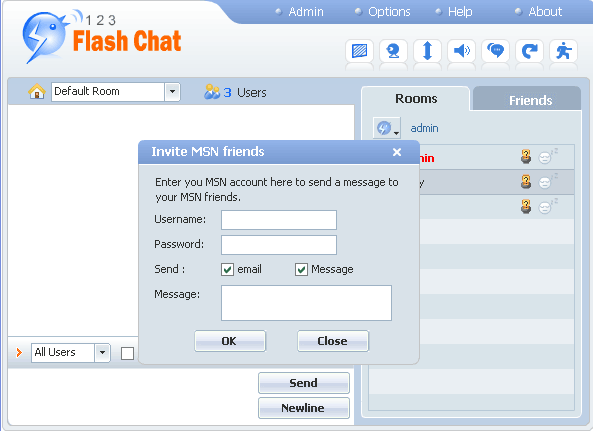
When a user clicks on it and fills in the corresponding fields, invitation messages would be sent to his MSN friends.


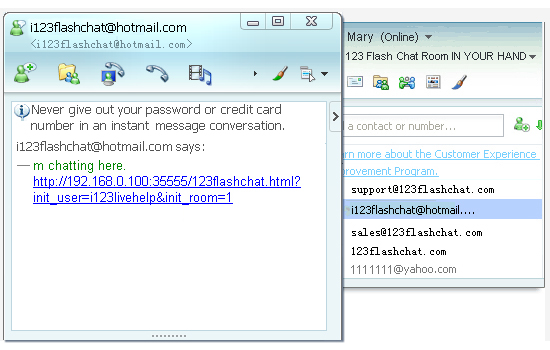
Instant Message:

Email:

Related links:

Friendlist Module

Event-Chat Module

Moderated-Chat Module

Avatar-Chat Module

White-Board Module

Image-Transfer Module

Invitation Bot


Home HomePre page Handwriting | System Management Next page

Home | About | Demo | Features | Download | Order | FAQ | Support | Reviews | Affiliate | Links | Sitemap | Community | Blog
 
Chat Server Software| Flash Video Chat| Online Webcam Chat| Webcam Chat Room Software| Customizable Chat Program | Instant Messaging Chat Server
Flash Chat in China | Chat Plugin| Free Chat Host| Free Chat Server Download| Live Support Software | Add Chat Room to Website
Legal Disclaimer| Privacy Statement | Terms of Use Copyright © 2001-2009 TopCMM Software Corp. All Rights Reserved.